

Security+ PBQ Walkthrough: Hardening an Internet-Facing Linux Jump Host
Performance-based questions are where the Security+ exam stops asking what you know and starts asking what you’d do. In this walkthrough, Dennis takes on a fresh PBQ cold, with no prep and no peeking, and ends up disagreeing with the answer key on one point. That disagreement turns out to be the most useful part of the whole question.
Watch the full walkthrough above, or read the breakdown below.
The scenario
Tidewater Logistics LLC runs a public-facing Linux jump host, EDGE-GW01 that administrators SSH into before pivoting to the internal network. A baseline scan came back ugly:
- Direct root login over SSH is permitted
- Password authentication is enabled, and several accounts use weak passwords
- Telnet (TCP 23) is installed, and configured to allow empty passwords
- The host is missing recent security patches, with no automatic updates
- SSH is reachable from any source address
- There is no perimeter firewall and no host firewall
Your job: bring EDGE-GW01 to a hardened baseline appropriate for an internet-exposed administrative host. Enable the controls that belong there. Leave the unsafe ones off.
That last instruction matters more than it looks. Half of a PBQ’s difficulty is resisting the options that sound plausible.
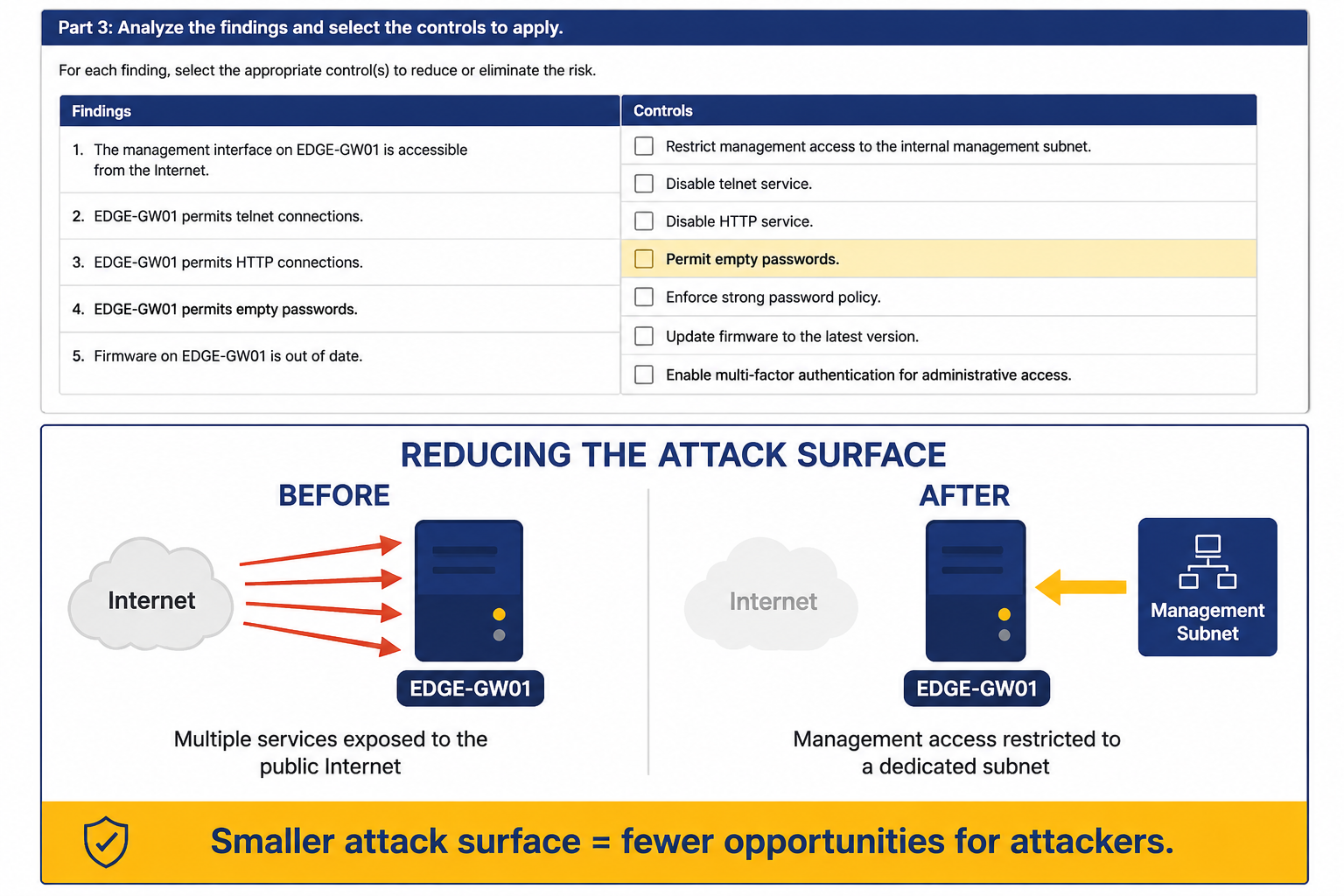
The controls that belong on the baseline
Disable direct root SSH login (PermitRootLogin no). You still need remote administration. You just don’t want anyone authenticating straight into the most privileged account on an internet-facing box. Admins log in as themselves, then escalate. That also gives you an audit trail with actual names on it.
Require key-based authentication (PasswordAuthentication no). Weak passwords on an internet-exposed host aren’t a hypothetical risk. The auth log will show brute-force attempts because bots find port 22 within hours. Keys remove the entire attack class.
Enable a host firewall and restrict SSH to the management subnet. This is the single highest-value control on the list. “Reachable from any source” is what makes every other weakness exploitable. Scoping SSH to a management network shrinks the attack surface from the entire internet to a handful of trusted addresses.
Enable unattended security updates. More on this one in a moment.
The Traps
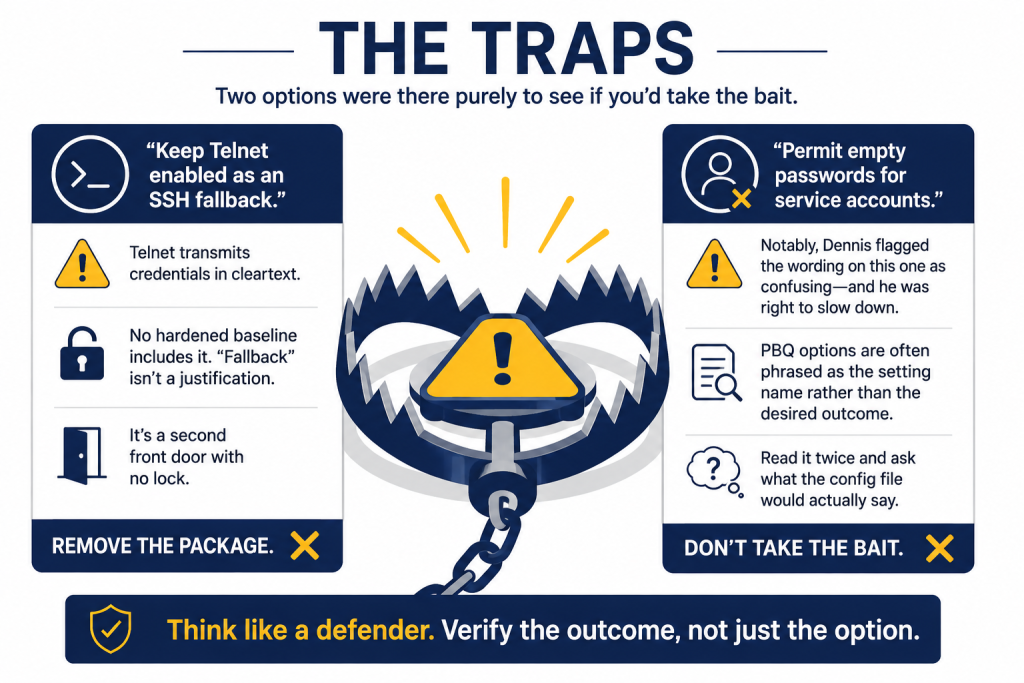
Two options were there purely to see if you’d take the bait.
“Keep Telnet enabled as an SSH fallback.” Telnet transmits credentials in cleartext. There is no version of a hardened baseline that includes it, and “fallback” isn’t a justification. It’s a second front door with no lock. Remove the package.
“Permit empty passwords for service accounts.” Also no. Notably, Dennis flagged the wording on this one as confusing during the walkthrough, and he was right to slow down. PBQ options are often phrased as the setting name rather than the desired outcome. When you hit one of those, read it twice and ask what the config file would actually say.
Where the answer key and the real world part ways
Dennis missed exactly one control, unattended security updates, and then said he’d miss it again on purpose:
“You always want to test your updates beforehand. Your whole system could break.”
For a production application server under change management, that’s sound operational practice. Untested patches have taken down more environments than most attackers.
But the exam is asking about a specific asset: an internet-facing jump host with no firewall and known missing patches. In that context, CompTIA weighs the risk of an unpatched, publicly reachable box higher than the risk of a package update misbehaving. Ubuntu’s unattended-upgrades also defaults to security updates only, which narrows the blast radius considerably.
Both positions are defensible. The exam-taking skill is recognizing which one the question is asking about. On Security+, exposure usually outranks stability when the host is sitting on the open internet.
The takeaway
Work PBQs the way you’d work a real ticket. Read the scenario, identify what makes the asset risky, and apply controls that address those findings. Then check your instinct against the exam’s logic, because when they diverge, that gap is worth understanding before test day.